Make Your Own Manga With AI
Higgsfield just launched Mangaka — type one idea and it casts the characters, draws every panel, and cuts the chapters. Full manga, comics, or webtoons from a single prompt. Here's exactly how to use it, with real screenshots.
Go to Higgsfield.ai
Open your browser and head to higgsfield.ai. No download, no install — the whole studio runs on the web. Sign in (Google works) and you get free generations to try it before paying anything.

Just type it into the address bar — the site loads straight into the creative suite.
Find Mangaka on the Homepage
On the homepage, look at the top navigation bar — Mangaka has a NEW badge next to it. You'll also see it featured in the big banner carousel: "Turn any idea into manga, comics or webtoons, with your own cast and story." Click either one.
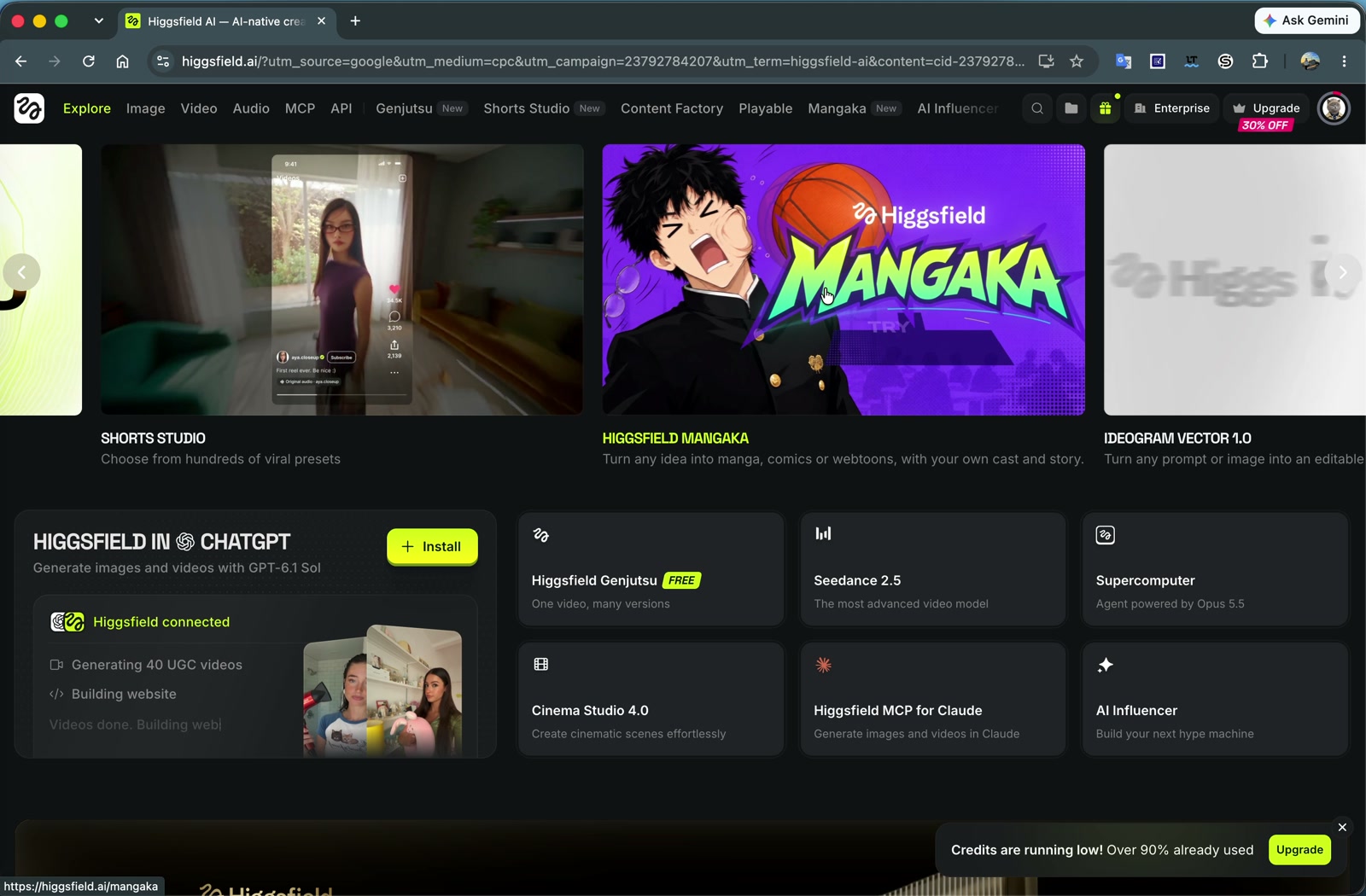
The Mangaka banner on the Higgsfield homepage — you can't miss it.
Open the Mangaka Studio
You land on the Mangaka page: "We cast the actors, generate every scene and cut the chapters." Two ways to start:
- ✦ Describe — type your story idea and let the AI build everything.
- ⬆ Upload — bring your own reference (your face, your characters, your art) and the comic gets built around it.
Scroll down to READ & EXPLORE to browse Templates (free) and comics made By community — the fastest way to see what styles are possible before you spend a generation.
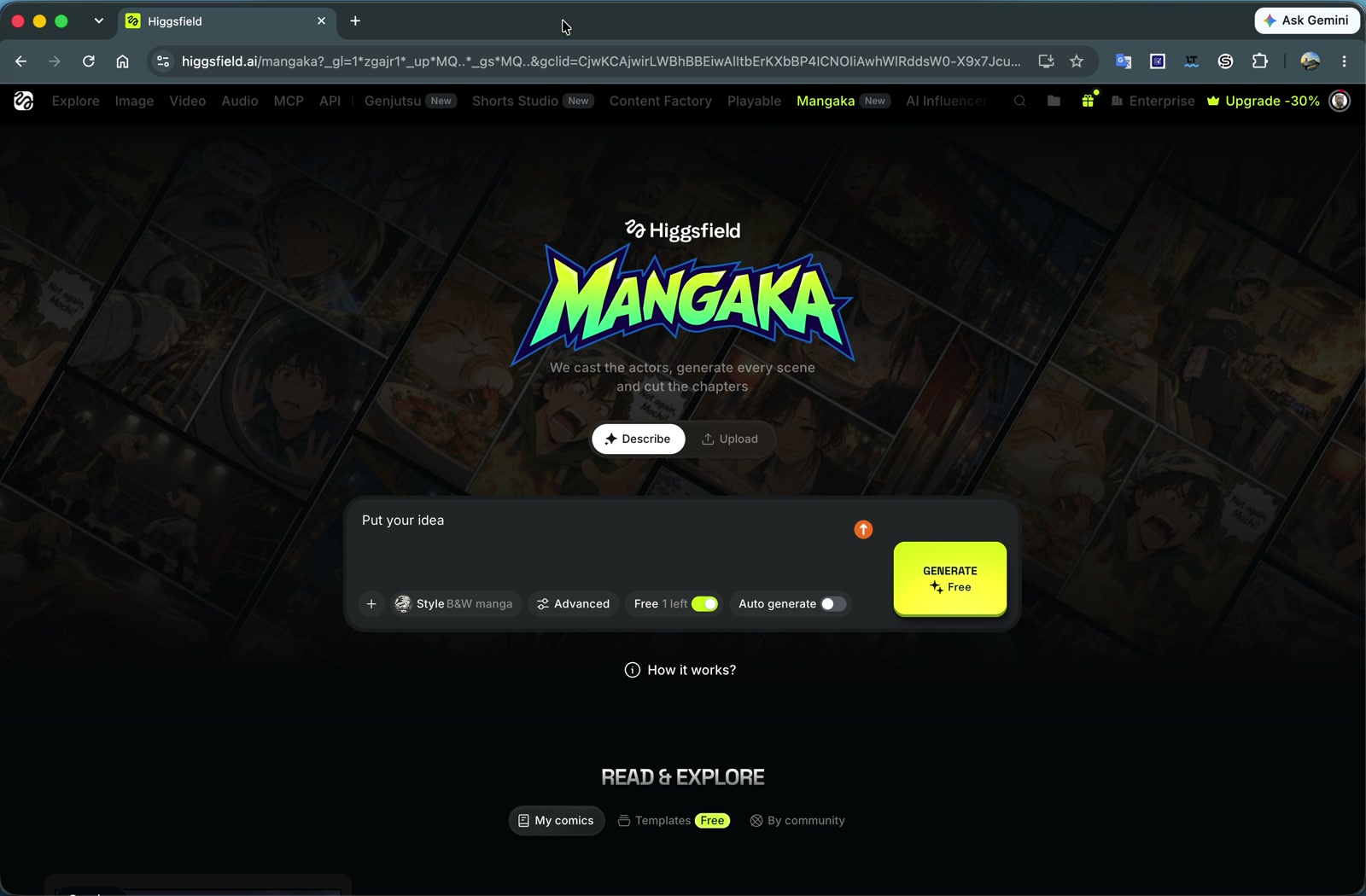
The Mangaka studio — Describe or Upload, then one button does the rest.
Describe Your Idea & Hit Generate
This box is the whole workflow. Type your idea, check the settings on the bottom row, and press the big yellow button.
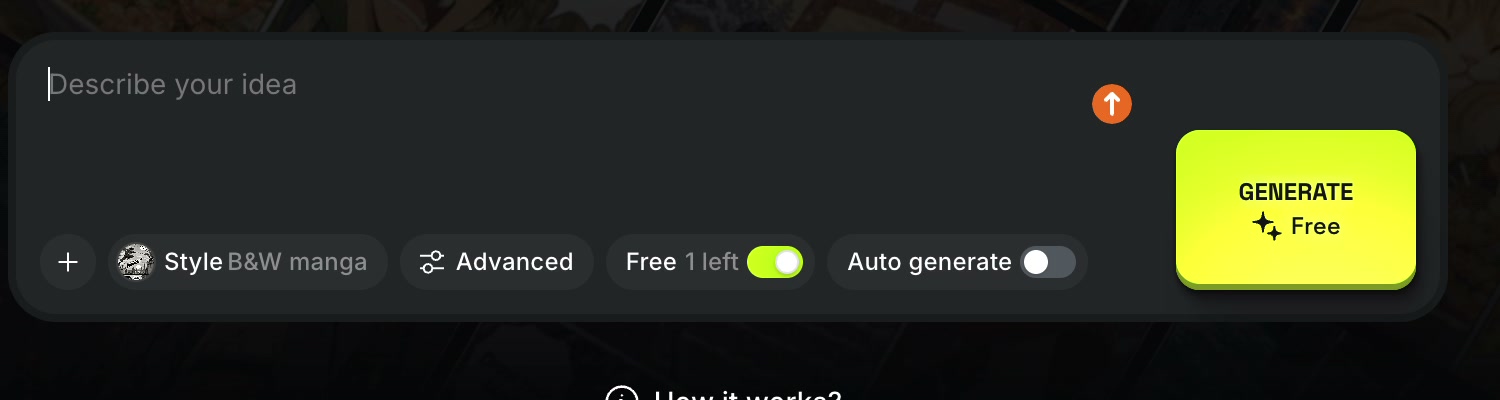
The prompt box up close — one free generation is toggled on by default.
- Style — defaults to B&W manga (classic screentone look). Tap it to switch to color comic or webtoon styles.
- Advanced — control panel count, chapters, and pacing instead of letting it auto-decide.
- Free toggle — uses your free credit for this generation. Leave it on for your first run.
- Auto generate — on: it makes every creative call for you. Off: you approve the cast and scenes as it goes.
- + — attach reference images (a selfie to star in your own manga, a character sheet, a location).
Leave Auto generate off on your first run — approving the character cast before it draws the chapters is the single biggest quality boost.
The Result: Read the Finished Comic
Here's a comic made with exactly this workflow — "Veggie Force: Night Market Rescue", 33 full-color pages, generated from a single idea. Flip through it below with the buttons or your arrow keys.
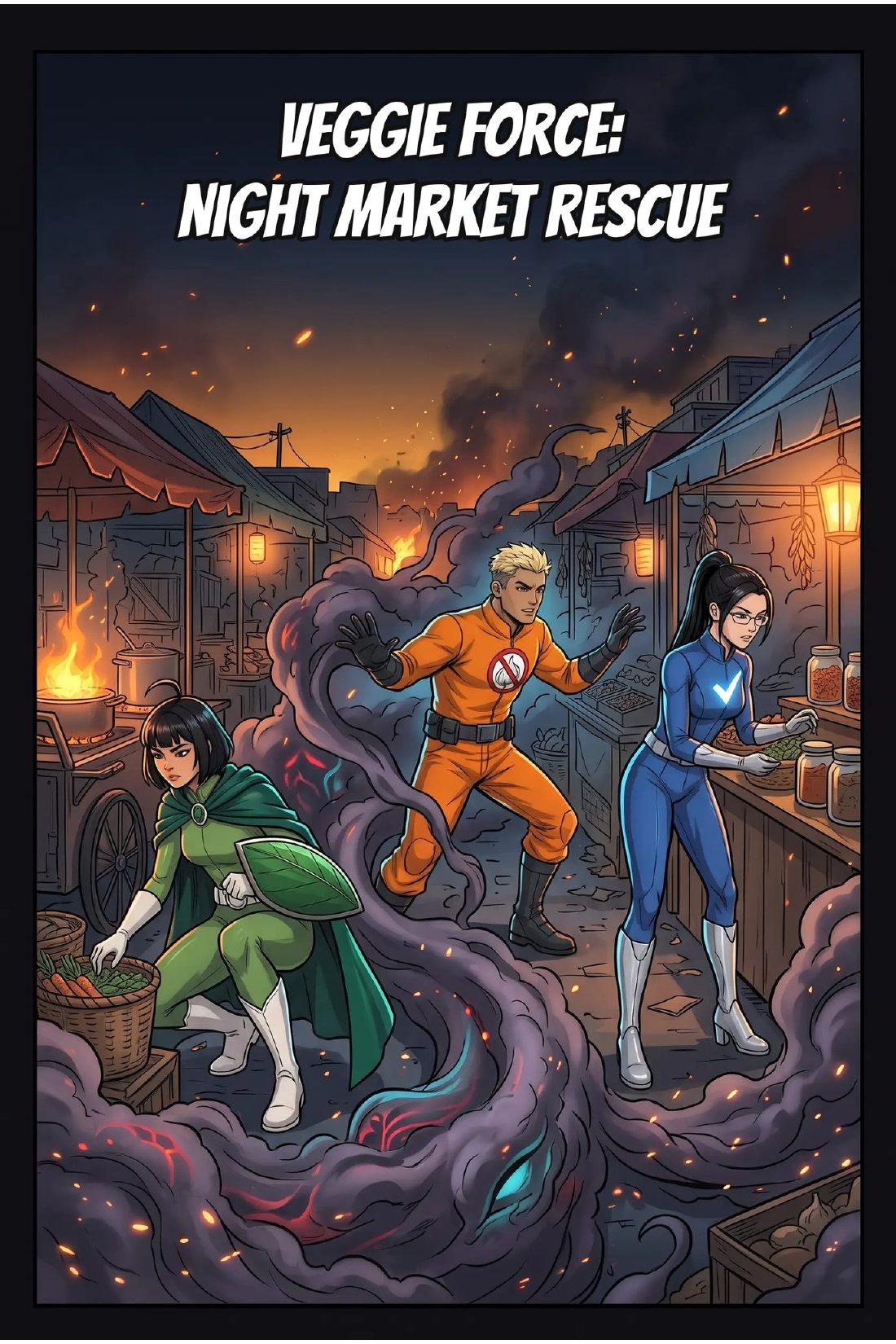
Every panel, speech bubble, and chapter break in this comic was generated by Mangaka.
The Prompt Recipe
Mangaka works from one paragraph. The more of these four ingredients you give it, the closer the first draft lands: who (your cast), where (the world), what happens (the arc), and the vibe (genre + tone). Example:
Weak prompts ("a cool ninja story") still work — Auto generate fills the gaps — but you're rolling dice on the cast and tone.
Your First Comic Is Free
Mangaka gives you a free generation to start, and the Templates library is free to remix. Takes about five minutes from idea to finished chapter.
START CREATING →This tutorial uses my referral link — it costs you nothing and supports more guides like this one.